Controls and HUD in +1 Jutsu Evolution
Find every important button before your first long grind session.
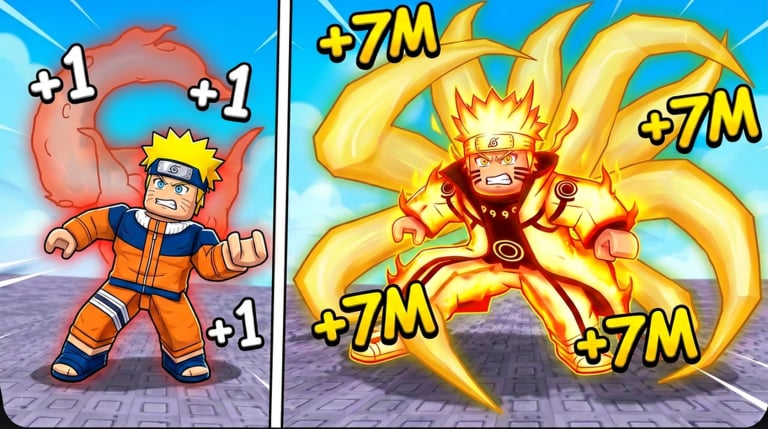
Why the HUD matters in +1 Jutsu Evolution
+1 Jutsu Evolution is a click-first incremental. Power comes from knowing which panel to open next—not from memorizing a huge hotkey list. This guide maps the live HUD so you can redeem codes, train Chakra, equip Auras, Rebirth, and reach stages without hunting menus mid-fight.
Official keybind lists are sparse on the Roblox page. Treat the steps below as the practical control map players use on PC and mobile in November 2026, then confirm any custom binds inside your client settings.
Primary actions
| Action | Typical input | What it does |
|---|---|---|
| Generate Chakra | Left click / tap | Adds +1 Chakra (multiplied by pads, Auras, group bonus, and timed boosts) |
| Move | WASD / stick | Reach training pads, stage portals, and world bosses |
| Camera | Right mouse / touch drag | Keep bosses and pads on screen |
| Dash | Often Q on PC (confirm in Settings) | Short reposition while clearing stages |
| Jump | Space / A button | Simple platforming between pads |
Clicking is the core loop. Auto-click hardware is a personal choice; third-party executors are covered separately on the Scripts Hub and can violate Roblox rules.
Must-open menus
- Shop — Robux packs, rolls, eggs, offline earnings, revive products, and the code box at the bottom. Full redemption steps: how to redeem codes. Spending advice: Shop, pets & Robux.
- Rebirth — Opens when you hit the current level gate. Reset promptly; see the rebirth guide.
- Aura / inventory panels — Equip the strongest Aura and Taijutsu style you own after every roll or Rebirth. Details in Auras and Taijutsu.
- Stage / teleport UI — Jump between the 15-stage ladder pads and World hubs. Routing tips live in stages and bosses.
- Boss UI — World boss timers, revive prompts, and skip-timer products appear when a boss is active.
First five minutes checklist
- Load in and click a few times so the Chakra counter moves.
- Open Shop → scroll to the bottom → redeem every string from the Codes Hub.
- Join the Jutsu Master group from the Roblox page for the advertised +10% Chakra bonus (Links Hub).
- Equip any Aura or pet granted by codes (Hatched Hound Egg from
UPDATE2). - Find the first training pad and stage portal before you AFK.
PC tips
- Keep Shop pinned mentally: codes and Robux products share that panel.
- Do not redeem
SHINOBIuntil you can click or stand on a strong pad for the full five minutes. - After Rebirth, re-open Aura equip immediately—unequips happen more often than players notice.
- Use dash only when a stage pack is chasing you; wasted dashes do not raise Chakra.
Mobile tips
- Paste codes from the clipboard instead of typing on a small keyboard.
- Pinch-zoom carefully so Shop buttons remain tappable.
- Auto-rotation can hide the code field—lock orientation while redeeming.
- Offline earning products matter more on mobile if you close the app between sessions (shop guide).
Combat and boss controls
World bosses drop rare Jutsu and Auras. When the boss UI appears:
- Confirm your strongest Aura is equipped.
- Watch the timer; Skip Boss Timer is a Robux product if you are mid-grind.
- Revive / Revenge Revive products exist if you die—F2P players can wait for a natural reset instead.
- Leave early if the kill is hopeless after a fresh Rebirth; farm stages and return.
More routing detail: stages and bosses.
Settings worth checking
- Graphics quality on low-end devices so click registration stays snappy.
- Mute music if you need to hear party callouts during Admin Abuse.
- Confirm language only if your client overlays conflict with Shop text—codes stay English strings.
Common HUD mistakes
- Looking for a top-left “Codes” button from other Evolution games—this title uses the Shop bottom field.
- Redeeming boosts in the lobby instead of on a pad.
- Ignoring pet storage after Update 1’s Pet System.
- Forgetting to re-equip after Rebirth or World teleports.
Pair this page with Getting Started for the first-hour route and common mistakes for soft-lock triage.
Related pages
Frequently Asked Questions
Quick answers to the most common questions.
Where is the codes button in +1 Jutsu Evolution?
Open Shop and scroll to the bottom code field. There is no separate top-left Codes button like some other Evolution games.
What is the dash key?
Many players bind or see Dash on Q on PC. Confirm inside your Roblox/settings panel because clients can differ.
Do controls differ on mobile?
Menus are the same systems with tap targets. Paste codes from the clipboard and lock orientation while redeeming.
Why can’t I find Rebirth?
The Rebirth panel unlocks when you hit the current level gate. Keep training until the menu lights up, then reset promptly.
Where do I equip Auras and pets?
Use the Aura/inventory panels on the main HUD. Re-check after every Rebirth, roll, or World teleport.