How to Redeem +1 Jutsu Evolution Codes
Find the Shop code box, paste active codes, and fix common redeem errors.
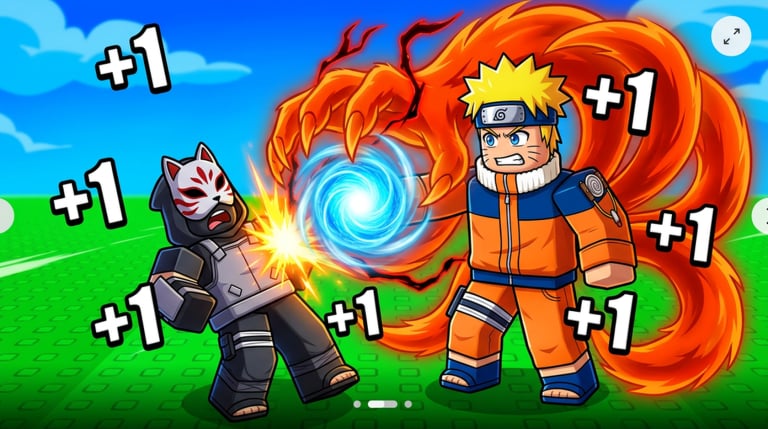
Redeem codes in under a minute
Promo codes in +1 Jutsu Evolution are entered inside the Shop UI, not in Roblox Settings. The official game description states that new codes are redeemed at the bottom of the Shop. Use this walkthrough the first time you claim rewards, then keep the Codes Hub open for the latest strings.
Step-by-step redemption
- Launch +1 Jutsu Evolution from Roblox on PC, mobile, or console.
- Wait until your ninja loads into the hub and the main HUD appears.
- Open the Shop button from the left or main menu cluster.
- Scroll to the bottom of the Shop panel until you see the code entry field.
- Copy a working code from the Codes Hub—for example
WORLD3orRelease. - Paste the code exactly. Do not add spaces before or after the text.
- Press Redeem / confirm and watch for a success toast or inventory update.
- Repeat for every active code, then close the Shop and check Wins, Boss Coins, eggs, and rolls.
If the Shop button is missing, finish the short onboarding clicks first. Some incremental experiences hide Shop tabs until you generate a bit of Chakra or claim the starter Rasengan path.
Best order to redeem
Not every code should be burned the second you join.
- Redeem Boss Coin and Wins codes first (
WORLD3, Like-milestone codes,Release). These bank resources you can spend anytime. - Redeem Lucky Roll codes next and decide whether to roll immediately or save for a better Aura breakpoint—see the aura tier list.
- Save SHINOBI (2X Chakra for 5 minutes) until you are standing on your strongest available training option and ready to click continuously.
- Hatch the Hatched Hound Egg from
UPDATE2once the pet or companion slot is visible.
This order prevents wasting a short multiplier while you are still reading menus.
Common errors and fixes
Code is case-sensitive. Release and release are not the same. Paste from the Codes Hub table.
Extra spaces. Mobile keyboards sometimes insert a trailing space. Delete both ends of the field before submitting.
Already redeemed. Most codes are one-time per Roblox account. A failure after a previous success usually means you already claimed it.
Expired after a patch. World launches and Admin Abuse events rotate codes. If several codes fail at once, refresh the Codes Hub and check updates.
Shop field empty / greyed out. Rejoin the server, finish tutorial prompts, or switch devices. Console players may need to highlight the text box with the virtual keyboard.
Rewards not visible. Close and reopen inventory. Wins and Boss Coins often update the HUD counters instantly; eggs and rolls may sit in a separate inventory tab.
Where new codes are announced
The experience description points players to the community server linked from the Roblox page. Milestone codes (Likes, CCU) and World codes (WORLD3) appear after public targets. After you redeem, continue progression with the getting started guide and schedule your first rebirth.
Safety notes
Never enter codes on third-party websites that ask for your Roblox password. Redeem only inside the official experience. This wiki never asks for account credentials. If someone DMs you a “code generator,” ignore it—use the verified list on the Codes Hub instead.
After redemption checklist
- Confirm Boss Coins and Wins increased.
- Decide whether to push stages now or Rebirth first (rebirth guide).
- Roll Auras with Lucky Rolls when ready (aura tier).
- Join the group listed on the Roblox page for the +10% Chakra bonus mentioned in the official description.
- Bookmark codes for the next update drop.
Mastering redemption takes one session. After that, codes become a routine warm-up before every grind block—claim, boost, Rebirth, repeat.
Related pages
Frequently Asked Questions
Quick answers to the most common questions.
Where is the code box in +1 Jutsu Evolution?
Inside the Shop menu at the bottom of the panel. It is not in Roblox account Settings.
Why does my code say invalid?
Check capitalization, remove spaces, confirm you have not already redeemed it, and verify the code still appears on the Codes Hub.
Can I redeem codes on mobile?
Yes. Open Shop, scroll to the code field, paste from your clipboard, and redeem. Use paste to avoid typos.
Do I need to join a group before redeeming?
Codes redeem without the group, but joining the official Jutsu Master group grants the advertised +10% Chakra bonus for regular training.